WhatsApp Ecommerce 2026: Complete Guide to Selling on WhatsApp
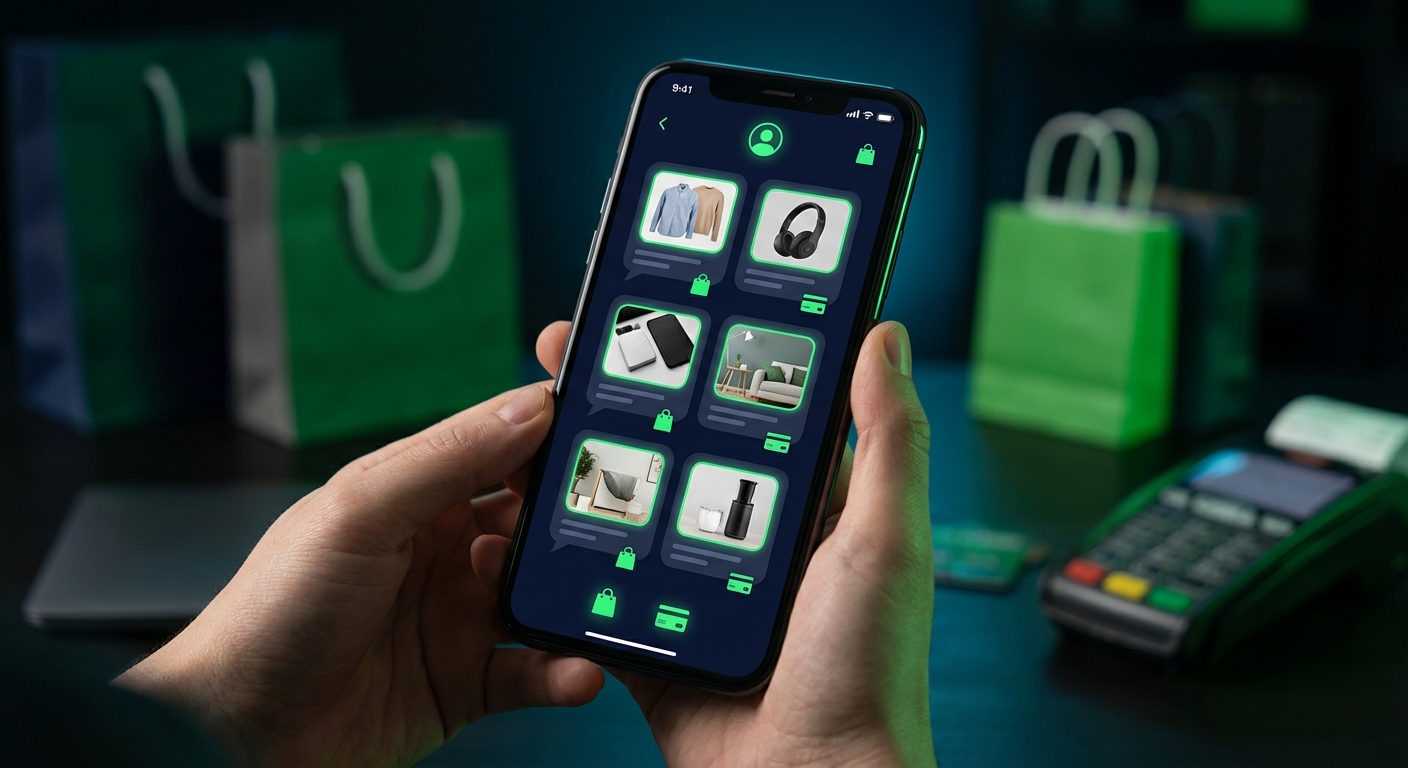
WhatsApp ecommerce is no longer experimental — it is a $24 billion annual channel and growing at 35% year over year. In 2026, businesses across 180+ countries are using WhatsApp not just for customer support or marketing, but as a full-funnel sales channel where customers discover products, browse catalogs, ask questions, complete payments, and track deliveries — all without leaving a single chat window.
The opportunity is staggering. WhatsApp's 3.2 billion users spend an average of 38 minutes per day in the app. In-chat commerce flows eliminate the friction of redirecting shoppers to external websites, resulting in 25-35% higher average order values and 60% lower checkout abandonment compared to traditional mobile web checkout. For ecommerce businesses in Southeast Asia, Latin America, the Middle East, and Africa — where WhatsApp is the dominant communication channel — selling on WhatsApp is not a strategy choice; it is a business imperative.
This comprehensive guide covers everything you need to sell on WhatsApp in 2026: catalog setup, product showcasing, in-chat payment processing, order management, platform integrations, WhatsApp Flows for structured checkout, and real-world case studies from businesses generating millions through WhatsApp commerce.
Table of Contents
1. Setting Up Your WhatsApp Product Catalog
The WhatsApp product catalog is the foundation of your WhatsApp ecommerce operation. It transforms your WhatsApp Business profile from a messaging channel into a browsable storefront that customers can access directly from the chat screen.
1.1 Catalog Basics
- Product limit: Up to 500 items per catalog (expandable via Meta Commerce Manager for larger inventories).
- Product fields: Name, description, price, currency, product image(s), product URL, retailer ID (SKU).
- Categories: Products can be organized into collections for easier browsing.
- Image requirements: Minimum 500x500 pixels, square format recommended, JPEG or PNG.
- Availability: Products can be marked as in-stock or out-of-stock, with automatic hiding of unavailable items.
1.2 Setup Methods
There are three ways to create and manage your WhatsApp product catalog:
- Meta Commerce Manager (manual) — Upload products individually or via CSV through Meta's Commerce Manager. Best for businesses with small, static catalogs (under 50 products).
- Platform sync (automated) — Connect your Shopify, WooCommerce, or other ecommerce platform to automatically sync products. ChatDaddy's integration handles this automatically, syncing product data, images, prices, and availability on a configurable schedule.
- API integration (custom) — Use Meta's Catalog API to programmatically manage products for complex, large-scale catalogs with custom logic.

Figure 1: Three methods for WhatsApp product catalog setup
1.3 Catalog Optimization Best Practices
- High-quality images — Use professional product photography with white or clean backgrounds. Products with high-quality images see 40% higher engagement in WhatsApp catalogs.
- Compelling descriptions — Write concise but informative descriptions that include key features, dimensions, materials, and use cases. Keep descriptions under 200 characters for optimal display.
- Competitive pricing — Display prices in the customer's local currency. WhatsApp catalogs support multi-currency display when integrated through a platform like ChatDaddy.
- Regular updates — Keep your catalog current. Out-of-stock items frustrate customers and increase support volume. Automated sync from your ecommerce platform eliminates this risk.
2. Product Showcase and Discovery
Once your catalog is set up, you need to actively showcase products to customers. WhatsApp supports several product discovery formats, each suited to different use cases.
2.1 Single Product Messages
Send a single product card from your catalog in a chat message. The customer sees the product image, name, price, and description inline — with a "View" button to see full details and an "Add to Cart" button. Best for: personalized recommendations, answering "do you have this?" queries, and targeted upsells.
2.2 Multi-Product Messages
Send up to 30 products from your catalog in a single message. The customer sees a curated list they can scroll through, with each product card showing image, name, and price. Best for: "what's new" showcases, category browsing, and "you might also like" cross-sells.
2.3 Catalog Link in Business Profile
Your full catalog is always accessible from your WhatsApp Business profile. Customers tap the shopping bag icon to browse all products organized by collection. This passive discovery channel generates consistent traffic for businesses with active WhatsApp presences.
2.4 Carousel Templates
WhatsApp carousel templates display a swipeable series of product cards (up to 10 cards), each with an image, title, description, and CTA button. Carousels are perfect for broadcast campaigns showcasing new collections, seasonal offerings, or best-sellers. Carousel messages achieve 3x higher click-through rates compared to text-only promotions.

Figure 2: WhatsApp product showcase formats for ecommerce
3. In-Chat Payments and Checkout
The checkout experience is where WhatsApp ecommerce truly differentiates itself from traditional channels. By keeping the entire purchase flow inside WhatsApp, you eliminate the friction of opening a browser, loading a website, creating an account, and re-entering payment details.
3.1 WhatsApp Pay
In supported markets (India and Brazil as of 2026, with more markets planned), WhatsApp Pay enables native in-app payments. Customers complete the entire transaction — product selection, shipping details, and payment — without ever leaving WhatsApp. This is the most frictionless checkout experience available and delivers the highest conversion rates.
3.2 Payment Links
For markets where WhatsApp Pay is not yet available, payment links are the primary checkout method. Your WhatsApp message includes a pre-filled checkout link that opens a mobile-optimized payment page. Platforms like ChatDaddy generate unique payment links for each order, pre-populated with the customer's cart contents and shipping details captured during the WhatsApp conversation.
Supported payment integrations include: Stripe, Razorpay, PayPal, Mollie, and direct bank transfers — configured through ChatDaddy's shop settings.
3.3 Cash on Delivery (COD)
In markets across Southeast Asia, the Middle East, and South Asia, cash on delivery remains the dominant payment method. WhatsApp commerce naturally supports COD workflows: the customer confirms their order and delivery address via chat, the business logs the order in their system, and payment is collected upon delivery. ChatDaddy's order management integrates with COD logistics providers to track delivery and payment collection.
3.4 Conversion Optimization
| Checkout Method | Cart Abandonment Rate | Best For |
|---|---|---|
| WhatsApp Pay (native) | 15-20% | India, Brazil |
| Pre-filled payment link | 25-35% | Global markets |
| WhatsApp Flows checkout | 20-30% | Structured ordering |
| Cash on Delivery | 10-15% | SEA, Middle East, South Asia |
| Redirect to website | 65-75% | Not recommended |
Table 1: Checkout method comparison — cart abandonment rates by method
4. Order Management on WhatsApp
Effective order management is what transforms a one-time WhatsApp sale into a long-term customer relationship. Every touchpoint after the purchase is an opportunity to build trust, reduce support load, and drive repeat business.
4.1 Automated Order Lifecycle Messages
- Order Confirmation — Instant message confirming the order with item details, total, payment status, and estimated delivery.
- Payment Confirmation — Sent when payment is received (especially important for bank transfer and COD orders).
- Processing Update — Sent when the order enters fulfillment (being packed/prepared).
- Shipping Notification — Includes carrier name, tracking number, and a one-tap tracking link.
- Out for Delivery — Real-time notification when the package is on the last-mile delivery vehicle.
- Delivery Confirmation — Confirms successful delivery with quick-reply buttons for "Leave a Review" and "Need Help?".
- Post-Purchase Follow-up — Sent 5-7 days after delivery with cross-sell recommendations and a loyalty discount.
All of these messages are configured as automated flows in ChatDaddy's automation builder, triggered by order status changes from your ecommerce platform. Zero manual intervention required.
4.2 Returns and Exchanges
WhatsApp is an ideal channel for handling returns and exchanges because the conversational format lets you resolve issues quickly. Configure a chatbot to handle return initiation: verify the order, confirm the reason, provide a return shipping label, and update the order status — all within the chat. This reduces average return resolution time from 3-5 days (email) to under 30 minutes (WhatsApp).

Figure 3: WhatsApp order management lifecycle flow
5. Shopify, WooCommerce, and Platform Integrations
Your WhatsApp ecommerce operation should connect seamlessly with your existing tech stack. Platform integrations eliminate manual data entry, keep product catalogs synced, and enable automated order-triggered messaging.
5.1 Shopify Integration
ChatDaddy's native Shopify integration provides:
- Automatic product catalog sync (images, prices, descriptions, availability)
- Real-time order event triggers (created, paid, fulfilled, shipped, delivered)
- Abandoned cart detection with three-step recovery sequence
- Customer data sync for segmented broadcast marketing
- Discount code generation for cart recovery and promotions
- Direct checkout links that open pre-filled Shopify checkout pages
5.2 WooCommerce Integration
The WooCommerce integration mirrors Shopify capabilities: product sync, order triggers, cart recovery, and customer data. ChatDaddy's WooCommerce plugin adds a WhatsApp opt-in checkbox to your checkout form automatically and pushes all relevant order events to the automation engine.
5.3 Custom and Other Platforms
For Magento, BigCommerce, PrestaShop, or custom-built stores, ChatDaddy offers webhook-based integration. Your platform sends order, cart, and customer events to ChatDaddy's API, which processes them through your configured automation flows. ChatDaddy also provides a REST API for fully custom integrations.
| Platform | Integration Type | Setup Time | Catalog Sync | Order Triggers |
|---|---|---|---|---|
| Shopify | Native (OAuth) | 15 min | Automatic | All events |
| WooCommerce | Plugin + Webhook | 20 min | Automatic | All events |
| Magento | Webhook | 30-60 min | API sync | All events |
| BigCommerce | Webhook | 30 min | API sync | All events |
| Custom Store | REST API | 1-5 days | Custom | Custom |
Table 2: Ecommerce platform integration comparison
6. WhatsApp Flows for Structured Checkout
WhatsApp Flows, introduced by Meta and now mature in 2026, is a game-changer for ecommerce checkout. Instead of redirecting customers to a website or sending a payment link, you can build an entire structured checkout experience inside WhatsApp itself.
6.1 What WhatsApp Flows Can Do
- Product selection — Multi-step product selectors with size, color, and quantity options.
- Shipping address — Structured address forms with country, city, and postal code fields.
- Delivery method — Let customers choose between standard, express, and scheduled delivery.
- Order summary — Display a formatted order review screen with item details, shipping cost, and total.
- Payment — Integrate with payment providers to collect payment details securely.
- Confirmation — Display an order confirmation screen with an order number and estimated delivery.
6.2 Building Flows With ChatDaddy
ChatDaddy's automation platform includes a WhatsApp Flows builder that lets you design checkout flows visually. The builder generates the JSON payload required by Meta's Flows API and handles the hosting, webhook processing, and response rendering automatically. No frontend development required.
6.3 Flows vs Traditional Checkout
The performance difference between WhatsApp Flows checkout and mobile web redirect checkout is substantial. Flows keep the customer inside WhatsApp — the app they trust and use daily — eliminating browser loading times, session timeouts, and the psychological friction of leaving a familiar interface.
7. Case Studies: Real Revenue Results
7.1 Fashion Retailer — Southeast Asia
A mid-size fashion brand with 15,000 monthly orders integrated WhatsApp commerce through ChatDaddy. Results after 90 days:
- 32% of total revenue now generated through WhatsApp (up from 0%)
- 28% cart recovery rate via WhatsApp automation (previously 7% via email)
- $18 higher AOV on WhatsApp orders vs website orders
- 45% reduction in WISMO support tickets
7.2 Electronics Store — Middle East
An electronics retailer serving UAE, Saudi Arabia, and Egypt launched WhatsApp catalog shopping with COD support:
- $420,000/month in WhatsApp-attributed revenue
- 52% of orders placed directly through WhatsApp conversation
- 12-minute average from first message to order placed
- 38% repeat purchase rate from WhatsApp customers within 60 days
7.3 Food Delivery Service — Latin America
A restaurant chain with 25 locations implemented WhatsApp ordering with Flows-based menu selection and in-chat payment:
- 40% of total orders now placed via WhatsApp (replacing phone calls)
- $2.50 lower cost per order compared to third-party delivery apps
- 4.8/5.0 average satisfaction score from WhatsApp ordering customers
- 22% higher order frequency from WhatsApp customers vs app-only customers

Figure 4: WhatsApp ecommerce case study results across three industries
Start Selling on WhatsApp Today
ChatDaddy provides everything you need for WhatsApp ecommerce: product catalogs, in-chat checkout, order management, and automation — integrated with Shopify, WooCommerce, and more. Trusted by 23,500+ businesses.
Start Your Free TrialFrequently Asked Questions
Can I sell products directly on WhatsApp?
Yes. WhatsApp supports in-chat commerce through product catalogs, single and multi-product messages, carousel templates, and WhatsApp Flows-based checkout. Customers can browse products, add items to cart, and complete purchases without leaving the WhatsApp interface. Businesses use the WhatsApp Business API through platforms like ChatDaddy to manage catalogs, process orders, and automate the entire sales flow.
How do I accept payments on WhatsApp?
Payments on WhatsApp can be processed through WhatsApp Pay (native in India and Brazil), payment links embedded in messages (Stripe, Razorpay, PayPal), WhatsApp Flows checkout forms, or cash on delivery. The best method depends on your market and customer preferences. ChatDaddy integrates with all major payment providers and generates pre-filled payment links for each order automatically.
What is the product limit for WhatsApp catalogs?
WhatsApp product catalogs support up to 500 items. For businesses with larger inventories, Meta's Commerce Manager supports expanded catalogs through API-based product feeds. Each product can include multiple images, detailed descriptions, pricing, and availability status. Products can be organized into collections for easier customer browsing.
Does WhatsApp ecommerce work with Shopify?
Yes. ChatDaddy provides a native Shopify integration that automatically syncs your product catalog, order events, customer data, and inventory to WhatsApp. This enables automated order notifications, cart recovery, in-chat product browsing, and targeted marketing — all connected to your Shopify store with no coding required. Setup takes approximately 15 minutes.
What industries benefit most from WhatsApp ecommerce?
Industries seeing the strongest results from WhatsApp ecommerce include fashion and apparel, beauty and cosmetics, food and restaurant delivery, electronics and gadgets, home goods, and local services. The channel is particularly powerful in markets where WhatsApp is the dominant communication platform — Southeast Asia, Latin America, the Middle East, and Africa — and for businesses with products that benefit from conversational selling (custom orders, complex products, high consideration purchases).
How do I reduce cart abandonment on WhatsApp?
The most effective WhatsApp cart abandonment recovery strategy uses a timed 3-message sequence: (1) a reminder sent 30 minutes after abandonment with the items left, (2) a follow-up with a small incentive (5-10% discount) sent 24 hours later, and (3) a final message with urgency (limited stock/offer expiry) sent 48 hours after abandonment. ChatDaddy's Shopify integration triggers this sequence automatically. Businesses using this approach typically recover 15-25% of abandoned carts, compared to 5-8% via email.
Can I run WhatsApp ecommerce without a website?
Yes. WhatsApp's native product catalog feature allows businesses to showcase products with images, descriptions, and pricing directly within WhatsApp — no website required. Customers browse via WhatsApp messages, order via quick-reply buttons or WhatsApp Flows, and pay via payment links. This makes WhatsApp ecommerce ideal for micro-businesses and direct sellers who cannot afford or maintain a full website.
What are the WhatsApp ecommerce compliance requirements?
WhatsApp ecommerce compliance requires: explicit opt-in consent from customers before sending marketing messages, adherence to Meta's Commerce Policy (no prohibited products), approved message templates for outbound marketing, clear business information in your profile, and compliance with local e-commerce regulations (consumer protection, data privacy). Working with a Meta ISV Partner like ChatDaddy ensures your setup meets all Meta requirements from day one.
