WhatsApp Business API: Complete Guide for 2026
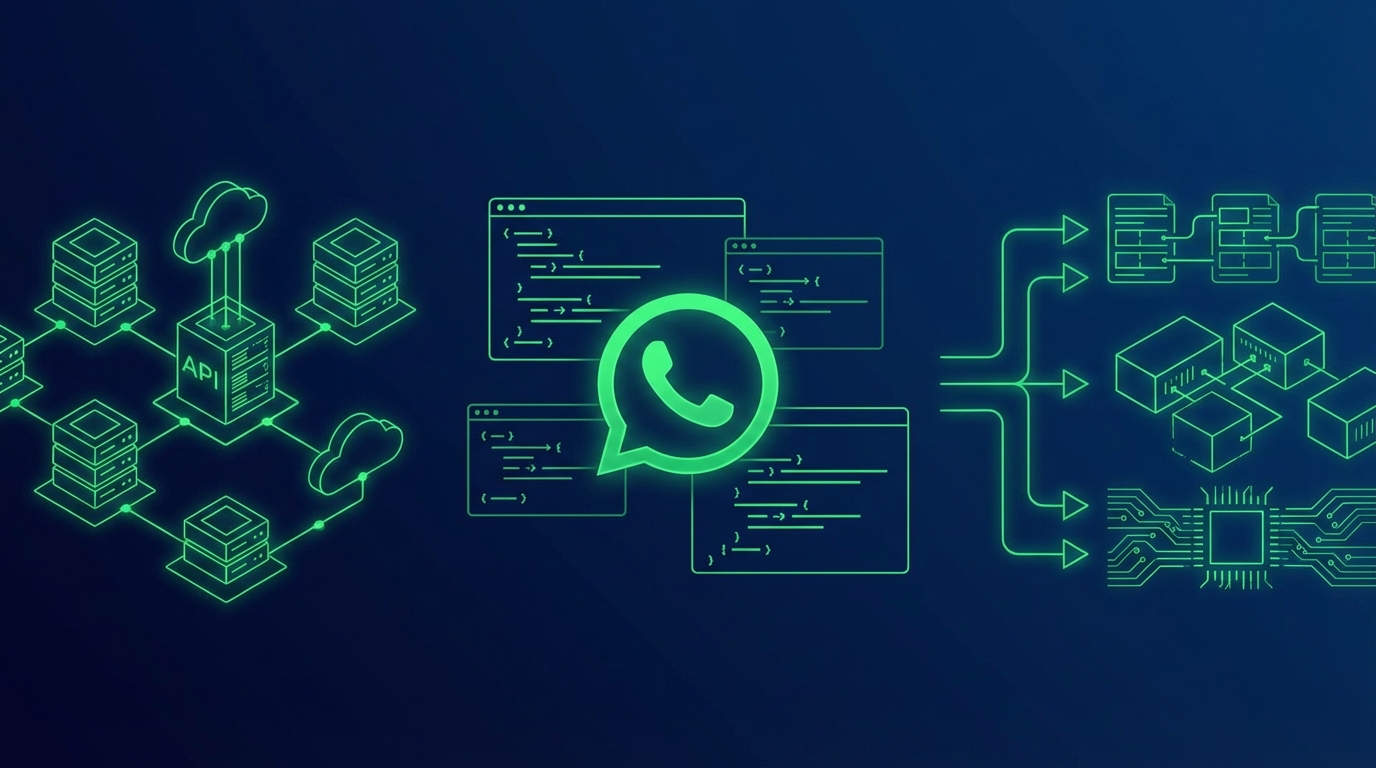
The WhatsApp Business API is the single most important channel for businesses that want to reach customers where they already spend their time. With over 2.9 billion monthly active users and open rates above 90%, WhatsApp dwarfs email and SMS as a customer communication platform. Whether you need to automate support, send promotional broadcasts, or build AI-powered chatbots, the WhatsApp Business API is the backbone that makes it possible.
In this guide, we break down everything you need to know about the WhatsApp Business API in 2026 — from how it works and what it costs, to how you can get access today through a Meta Official ISV Partner like ChatDaddy.
Table of Contents
- What Is the WhatsApp Business API and How Does It Work?
- WhatsApp Business API Pricing in 2026
- How to Get WhatsApp Business API Access
- Key Features for Growing Teams
- Compliance and Best Practices
- Use Cases Across Industries
- How to Choose the Right Provider
- Frequently Asked Questions
- Get Started Today
1. What Is the WhatsApp Business API and How Does It Work?
Unlike the free WhatsApp Business App designed for sole proprietors, the API has no front-end interface of its own. Instead, you connect to it through a ISV Partner (ISV partner) like ChatDaddy, which gives you tools such as a shared team inbox, broadcast messaging, CRM pipelines, and no-code chatbot builders on top of the raw API.
Here is how the architecture works in practice:
- Meta hosts the Cloud API — your messages flow through Meta's servers, which handle encryption, delivery, and read receipts.
- Your ISV partner provides the interface — platforms like ChatDaddy layer on a dashboard, automation logic, analytics, and integrations.
- You send and receive messages — through template messages (business-initiated) and free-form replies within the 24-hour service window (customer-initiated).
Since Meta sunsetted the On-Premise API in 2024, the Cloud API is now the only option for new business numbers. It supports up to 500 messages per second, requires zero server maintenance, and can be set up in minutes through a ISV partner.

WhatsApp Business App vs. WhatsApp Business API
| Feature | Business App | Business API |
|---|---|---|
| Price | Free | Per-message fees |
| Devices | 1 phone + 4 linked | Up to 15 agents on ChatDaddy (scales with plan) |
| Automation | Quick replies only | Full chatbots & workflows |
| Broadcasts | 256 contacts max | Unlimited contacts |
| CRM Integration | None | Full API integrations |
| Green Tick Badge | Not available | Available after verification |
Table 1: WhatsApp Business App vs. WhatsApp Business API comparison
2. WhatsApp Business API Pricing in 2026: What It Actually Costs
Understanding WhatsApp Business API pricing is critical for budgeting your campaigns. Meta restructured billing in mid-2025, and further adjustments took effect on April 1, 2026, impacting rates in India, Pakistan, Saudi Arabia, and Turkey.
Message Categories and Cost Ranges (USD)
| Category | Description | Cost Range (per message) |
|---|---|---|
| Marketing | Promotions, product launches, re-engagement | $0.025 – $0.14 |
| Utility | Order updates, payment confirmations, shipping alerts | $0.004 – $0.046 |
| Authentication | OTP codes, login verification, two-factor auth | $0.004 – $0.046 |
| Service | Replies within 24-hour customer service window | Free |
Sample Per-Message Rates by Country
| Country | Marketing | Utility | Authentication |
|---|---|---|---|
| India | ~$0.0094 | ~$0.004 | ~$0.004 |
| Brazil | ~$0.0625 | ~$0.015 | ~$0.015 |
| United Kingdom | ~$0.0529 | ~$0.020 | ~$0.020 |
| Germany | ~$0.1131 | ~$0.040 | ~$0.040 |
| United States | ~$0.025 | ~$0.008 | ~$0.008 |
Table 2: Sample WhatsApp Business API per-message rates by country — 2026

The billing principle is simple: the recipient's phone number country code determines the rate. A UK-based business sending a marketing message to a customer in India pays India's rate, not the UK rate.
Free Messaging Opportunities
Not every message costs money. These scenarios are completely free:
- Service conversations — any reply you send within the 24-hour window after a customer messages you.
- Click-to-WhatsApp ad entries — when a customer reaches you through a Facebook or Instagram ad, you get a 72-hour free messaging window for all message types.
- Utility replies — utility template messages sent within the service window are not charged.
Smart businesses use ChatDaddy's broadcast tools to trigger inbound conversations (via ads and QR codes) so they can respond for free, rather than sending outbound marketing templates that incur per-message fees.
3. How to Get WhatsApp Business API Access in 2026
Step 1: Choose a ISV Partner
You cannot use the WhatsApp Business API directly — you need a ISV partner to provide the dashboard, send messages, and manage your account. Look for a Meta Official ISV partner to ensure reliability and direct API access.
ChatDaddy is a Meta Official ISV Partner trusted by over 23,500 businesses sending more than 10 million daily messages. You get API access, a shared inbox, chatbot builder, broadcast tools, and CRM in a single platform.
Step 2: Prepare Your Requirements
Before applying, gather the following:
- A dedicated phone number — not currently registered on WhatsApp or WhatsApp Business App.
- Meta Business Manager account — create one at business.facebook.com if you do not have one.
- Business registration documents — such as a certificate of incorporation, tax ID, or GST registration.
- A business website and email — required for Meta verification.
Step 3: Complete Meta Business Verification
Meta business verification proves your company is a legitimate, registered entity. You will upload official documents, verify your domain, and wait for Meta's review. This typically takes 2 to 5 business days, though it can extend to 14 days in some cases.
Step 4: Set Up Your WhatsApp Business Profile
Configure your business display name, profile photo, description, address, and website. Once Meta approves your business verification, you can also apply for the green tick verified badge — a trust signal that significantly boosts customer engagement.
Step 5: Create Message Templates
All business-initiated messages must use pre-approved templates. Submit your templates through your ISV partner's dashboard (ChatDaddy makes this process seamless) and wait for Meta approval, which usually takes minutes to a few hours.
After these steps, you are live. With ChatDaddy, most businesses go from signup to sending their first message in under 10 minutes. For a complete walkthrough with screenshots of every step, see our dedicated WhatsApp Business API setup guide.
4. Key Features of the WhatsApp Business API for Growing Teams
Shared Team Inbox
Multiple agents can handle customer conversations simultaneously from a single WhatsApp number. ChatDaddy's shared inbox supports automatic conversation routing, agent assignment, internal notes, and performance analytics — essential for support and sales teams.
AI-Powered Chatbots
Build no-code chatbots that handle FAQs, qualify leads, book appointments, and process orders around the clock. Since January 2026, Meta requires all AI chatbots on WhatsApp to be task-specific rather than open-ended general-purpose bots. Learn more about building compliant bots in our WhatsApp chatbot guide.
Broadcast Messaging
Send promotional campaigns, product launches, flash sales, and re-engagement messages to unlimited contacts using approved templates. ChatDaddy's broadcast tool supports audience segmentation, scheduled sends, and delivery analytics so you can measure ROI on every campaign.
CRM and Pipeline Management
Track every customer interaction, tag contacts, assign deal stages, and build pipelines directly within your WhatsApp workflow. ChatDaddy's built-in CRM eliminates the need for a separate tool. For a deep dive, read our WhatsApp CRM guide.
Interactive Message Formats
The API supports rich media and interactive elements that drive higher engagement:
- Quick reply buttons — up to 3 tappable response options
- Call-to-action buttons — link to a URL or phone number
- List messages — present up to 10 menu options
- Product catalogs — showcase items with images, prices, and descriptions
- Location sharing — send or request location pins
- Document, image, and video attachments — share files up to 100 MB
WhatsApp Commerce
Turn WhatsApp into a sales channel with product catalogs, in-chat ordering, and payment collection. ChatDaddy's commerce features let customers browse, select, and pay without ever leaving the chat.
5. WhatsApp Business API Compliance and Best Practices in 2026
Opt-In Requirements
You must collect explicit consent before sending any business-initiated message. Acceptable opt-in methods include:
- Website forms with a clear WhatsApp checkbox (not pre-checked)
- SMS or email opt-in with explicit WhatsApp mention
- In-app opt-in flows
- Click-to-WhatsApp ads (implicit opt-in when user initiates)
Past SMS consent or email consent does not transfer to WhatsApp. You need separate, explicit WhatsApp opt-in.
Template Message Approval
Every outbound template must be submitted to Meta for review before use. Templates are evaluated for clear business purpose, no misleading content, correct use of variable placeholders, and compliance with WhatsApp Business Policy.
AI Chatbot Rules (Updated January 2026)
Meta now prohibits general-purpose AI chatbots without a defined business function. Your chatbot must perform concrete business tasks, clearly identify itself as automated, and provide an option to reach a human agent. ChatDaddy's chatbot builder is designed around these requirements.
Quality Rating and Messaging Limits
Meta assigns each business phone number a quality rating (Green, Yellow, Red) based on customer feedback. Low quality ratings reduce your messaging limits. To maintain a high rating: send relevant content, respect opt-out requests immediately, avoid excessive promotional frequency, and monitor your quality dashboard in Meta Business Manager.
6. WhatsApp Business API Use Cases Across Industries
E-Commerce and Retail
- Abandoned cart recovery messages (marketing templates)
- Order confirmation and shipping updates (utility templates)
- Product recommendation chatbots
- Post-purchase review collection
- Flash sale broadcasts
Healthcare
- Appointment booking and reminders
- Lab result notifications
- Prescription refill alerts
- Patient FAQ chatbots
Financial Services
- OTP and login verification (authentication templates)
- Transaction alerts and statements
- Loan application status updates
- KYC document collection via chat
Travel and Hospitality
- Booking confirmations and itinerary updates
- Check-in reminders
- Real-time flight or hotel change notifications
- Concierge chatbots for local recommendations
Education
- Enrollment and admission updates
- Class schedule reminders
- Fee payment notifications
- Student support chatbots
Over 23,500 businesses across these industries use ChatDaddy to manage their WhatsApp Business API communications, processing more than 10 million messages daily.
7. How to Choose the Right WhatsApp Business API Provider
Must-Have Criteria
- Meta Official ISV partner status — ensures direct API access and compliance.
- No-code tools — you should not need a developer to build chatbots, send broadcasts, or manage contacts.
- Shared inbox — essential for any team with more than one person handling customer messages.
- CRM integration — either built-in or native integrations with tools like HubSpot, Salesforce, or Shopify.
- Transparent pricing — watch for hidden per-message markups on top of Meta's fees.
- Scalability — the platform should handle your messaging volume today and as you grow.
For a detailed comparison of the top platforms, see our best WhatsApp CRM comparison.
Why Businesses Choose ChatDaddy
| Plan | Price | Key Features |
|---|---|---|
| Free | $0/mo | Basic inbox, 1 agent, chatbot builder |
| Basic | $119/mo | Multi-agent inbox, basic automation — 5 teammates |
| Pro | $299/mo | Advanced chatbots, broadcast, CRM — 10 teammates |
| Max | $799/mo | Full suite, priority support, custom integrations — 15 teammates |
Table 3: ChatDaddy pricing plans — all include WhatsApp Business API access
All plans include WhatsApp Business API access. Meta's per-message fees are billed separately and passed through at cost — no markup.
Ready to Get Started with the WhatsApp Business API?
ChatDaddy is a Meta Official ISV Partner — get API access, chatbot builder, broadcast tools, and shared inbox in one platform. Trusted by 23,500+ businesses.
Apply for FreeRelated Articles
- WhatsApp API Pricing Guide
- Best WhatsApp API Provider
- WhatsApp API Integration Guide
- WhatsApp Coexistence Explained
- WhatsApp Business API Pricing
8. Frequently Asked Questions
Is the WhatsApp Business API free?
Access to the WhatsApp Business API itself is free. However, Meta charges per delivered template message based on the message category and recipient's country code. Service messages (replies within the 24-hour window) are completely free. Platforms like ChatDaddy offer a free plan so you can get started without upfront cost.
What is the difference between WhatsApp Business App and WhatsApp Business API?
The WhatsApp Business App is a free mobile application limited to one device and manual messaging. The WhatsApp Business API supports automation, chatbots, CRM integrations, multi-agent shared inboxes, and bulk broadcasting at scale. You access the API through a ISV Partner like ChatDaddy rather than a standalone app.
How long does it take to get WhatsApp Business API access?
With a ISV partner like ChatDaddy, you can get WhatsApp Business API access within minutes using the Cloud API. Full Meta business verification, which removes messaging limits, typically takes 2 to 5 business days. You need a Meta Business Manager account, a dedicated phone number, and business registration documents.
Can I send bulk messages with the WhatsApp Business API?
Yes. The WhatsApp Business API supports bulk messaging through pre-approved template messages. The Cloud API handles up to 500 messages per second. You can send broadcasts for promotions, order updates, and reminders to unlimited contacts. ChatDaddy's broadcast tool includes audience segmentation, scheduling, and delivery analytics.
What are WhatsApp Business API message categories and how do they affect cost?
There are four categories: Marketing (promotions, product announcements at $0.025-$0.14/msg), Utility (order updates, confirmations at $0.004-$0.046/msg), Authentication (OTP codes, verification at $0.004-$0.046/msg), and Service (customer-initiated replies — free). The recipient's country code determines the exact rate.
9. Get Started with the WhatsApp Business API Today
The WhatsApp Business API is no longer optional for businesses serious about customer engagement. With per-message pricing that rewards smart strategy, free service windows, and powerful automation capabilities, it delivers ROI that email and SMS cannot match.
The key decisions are straightforward: choose a reliable Meta Official ISV partner, verify your business, set up your templates, and start engaging customers on the channel they already use every day.
Get your WhatsApp Business API access through ChatDaddy and start engaging customers on their preferred channel today.